> For the complete documentation index, see [llms.txt](https://docs.collegehelpai.com/llms.txt). Markdown versions of documentation pages are available by appending `.md` to page URLs; this page is available as [Markdown](https://docs.collegehelpai.com/getting-started/key-features.md).
# Key Features
Take a screenshot of any question (quiz, exam, Canvas, Blackboard, PDF, image, etc.) and let the OCR engine extract it automatically. You get a formatted answer in the same language, complete with rea
#### Screenshot Solver
Take a screenshot of any question (quiz, exam, Canvas, Blackboard, PDF, image, etc.) and let the OCR engine extract it automatically. You get a formatted answer in the same language, complete with rea
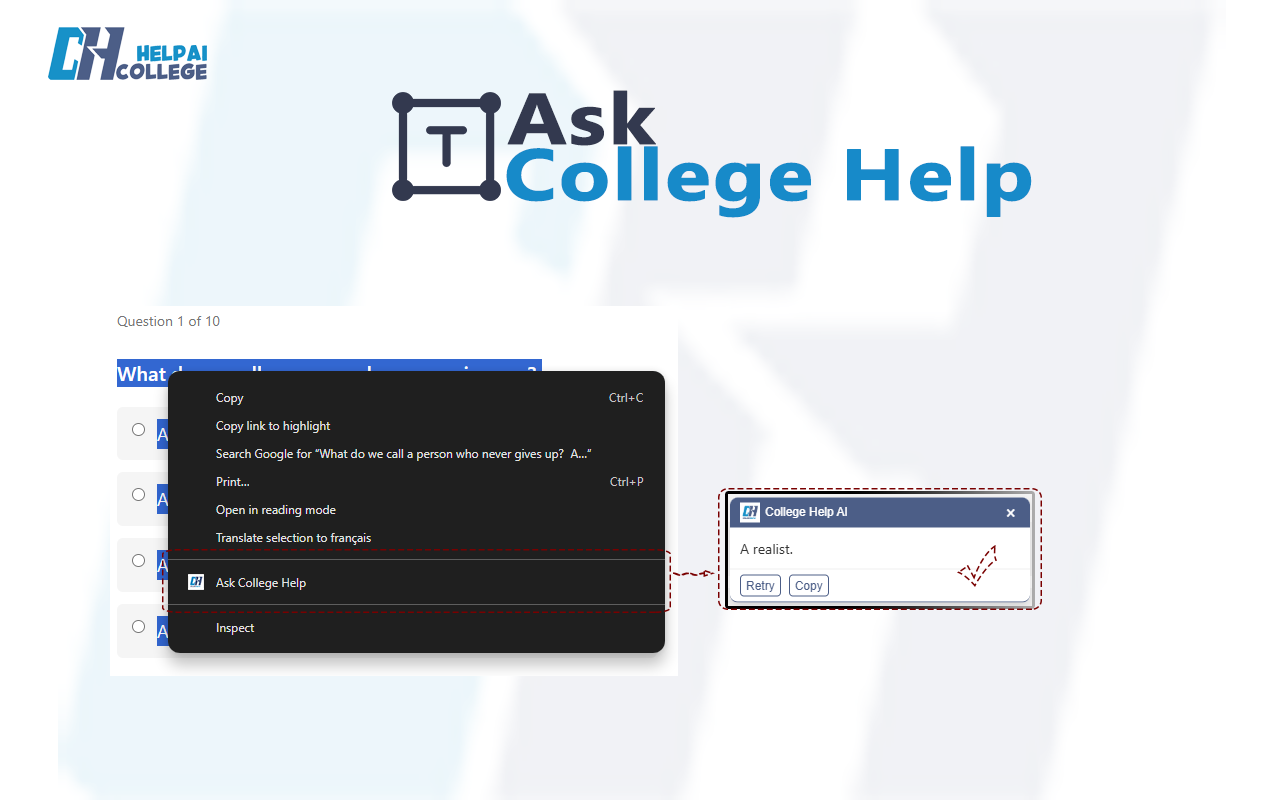
#### Right-Click “Ask CollegeHelp AI”
Highlight any text on a web page, document, or online course, then **right-click → “Ask CollegeHelp AI”**.\
The extension returns a **context-aware explanation** right inside the active tab, without switching windows.
#### Math & Code Help
* Beautifully rendered **LaTeX-style equations**
* **Syntax-highlighted code** for languages like Python, Java, C++, JavaScript
* **Step-by-step logic** that shows *how* and *why* the solution works
Perfect for:
* Calculus, algebra, statistics
* Physics, chemistry, economics
* Programming assignments and debugging sessions
#### Multilingual Support
CollegeHelp AI automatically detects and supports multiple languages so students can study in their mother tongue:
* English
* French
* Italian
* Spanish
* Arabic
* Russian
#### Ghost Mode
Enable **Ghost Mode** to reduce the opacity of the answer box.\
The answer becomes fully readable only when you hover over it—ideal for:
* Live classroom screen-shares
* Group study sessions
* Keeping the page visually clean and discreet
#### Zero-Wait Latency
CollegeHelp AI is optimized for **lightning-fast responses**, helping you maintain focus and momentum during intense study sessions and timed work.
---
# Agent Instructions
This documentation is published with GitBook. GitBook is the documentation platform designed so that both humans and AI agents can read, navigate, and reason over technical content effectively. Learn more at gitbook.com.
## Querying This Documentation
If you need additional information that is not directly available in this page, you can query the documentation dynamically by asking a question.
Perform an HTTP GET request on the current page URL with the `ask` query parameter, and the optional `goal` query parameter:
```
GET https://docs.collegehelpai.com/getting-started/key-features.md?ask=&goal=
```
`ask` is the immediate question: it should be specific, self-contained, and written in natural language.
`goal` is optional and describes the broader end goal you are ultimately trying to accomplish on behalf of the user. GitBook uses it to tailor the answer towards what is most useful for that goal.
The response will contain a direct answer to the question and relevant excerpts and sources from the documentation.
Use this mechanism when the answer is not explicitly present in the current page, you need clarification or additional context, or you want to retrieve related documentation sections.